
Add Reflections to a Top-Down game
To create top-down reflections you must enable the Local Sprite Reflections setting on your 2D Reflection Renderer component. This will ensure that the additional Local Sprite Reflections pass is performed by the virtual Reflections camera. Enabling this setting will display an additional foldout section in which you can specify a layer in which these local reflections will be isolated while being rendered. You must make sure that this is a layer that is A) not being used by anything important and B) not being rendered by any other camera.
In most cases, since you will only be reflecting Local Sprite Reflection objects, you can set the Reflect Layers setting of the Reflection Renderer to Nothing.
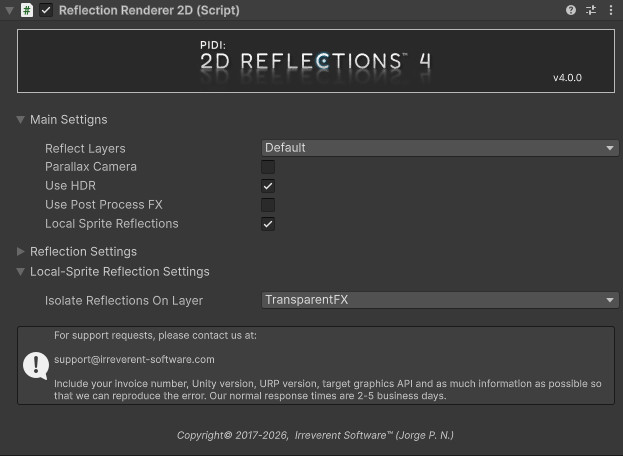
Then add the Local Sprite Reflection component to any object / sprite that you want to have a reflection. Internally, the Reflection Renderer and the Local Sprite Reflection components work together by flipping the sprites and rendering them to a temporary buffer.
Through the Local Sprite Reflection component, you can specify a custom sprite to override the original one during the reflection pass, as well as an anchor to adjust the transform operations to be done when calculating the mirrored position of the sprite / object.
With this setup you can have all sorts of complex reflections for your top-down games set up in no time!