
Add Parallax-compatible Reflections
A lot of 2D games use Parallax in order to add depth to a scene. While this effect can be achieved by controlling the motion of several different 2D layers through code, a different approach involves using a set of stacked cameras for foreground and background.
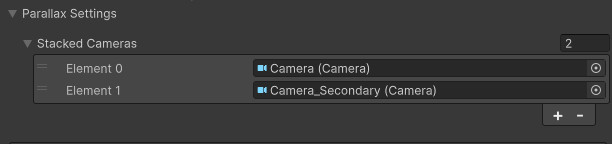
The Parallax Reflections setting in the Reflection Renderer allows you to specify a series of cameras to be stacked when rendering the reflection, matching the actual camera setup. In this list, only add the non-main cameras (the main camera being the one that will render the reflective surface, aka the foreground camera), from furthest to closest. For more details, check the included Parallax Water Reflections sample scene.
For Parallax Reflections to work correctly, you must also enable support for them on the actual shader that you will use on your reflective surface. All included shaders support Parallax Reflections.