
Local Sprite Reflection
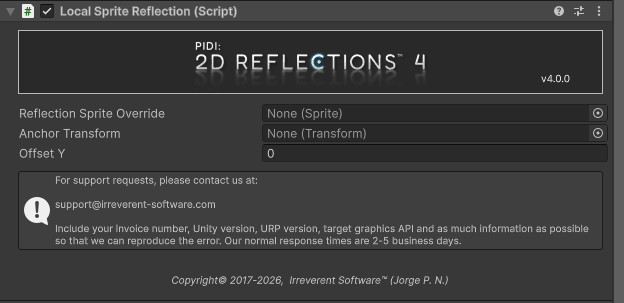
The Local Sprite Reflection allows you to reflect sprites and 2D objects with their own anchor point, allowing them (and their reflections) to move freely over the reflective surface. This is extremely useful for top-down style games where the characters and objects can move along water surfaces on the Y axis and the reflective surface must work seamlessly regardless of the reflected object’s position.
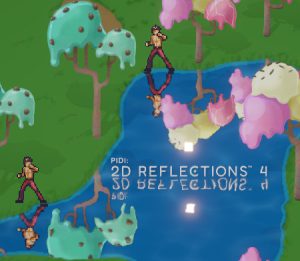
Pictured above, two different characters at different Y positions are still reflected correctly by the same reflective surface.
The reflective surface reflects the Logo (which does not have the Local Sprite Reflection component attached) based on the surface’s reflection line.
Reflection Sprite Override allows you to provide a custom sprite (different from the original) that will be used and flipped along the Y axis during the reflection rendering process.
Anchor Transform. An optional transform to be used to calculate the relative Y position of the sprite when reflected. This is useful when the object has to change its position “vertically” (for example when a character goes up a platform that is “higher” than the surface of the water, or a falling apple high on a tree) and the sprite and its reflection must separate accordingly.
Offset Y. An additional offset to be applied between the object and its reflection.
Despite its name, the component is not limited to Sprite objects and can be used to perform mirrored transform manipulation on most transforms, including 2D lights. For an example of this, please open the Top Down Reflections – Lit demo scene included with the asset.